
The short version: 47 checks, six groups, free tools
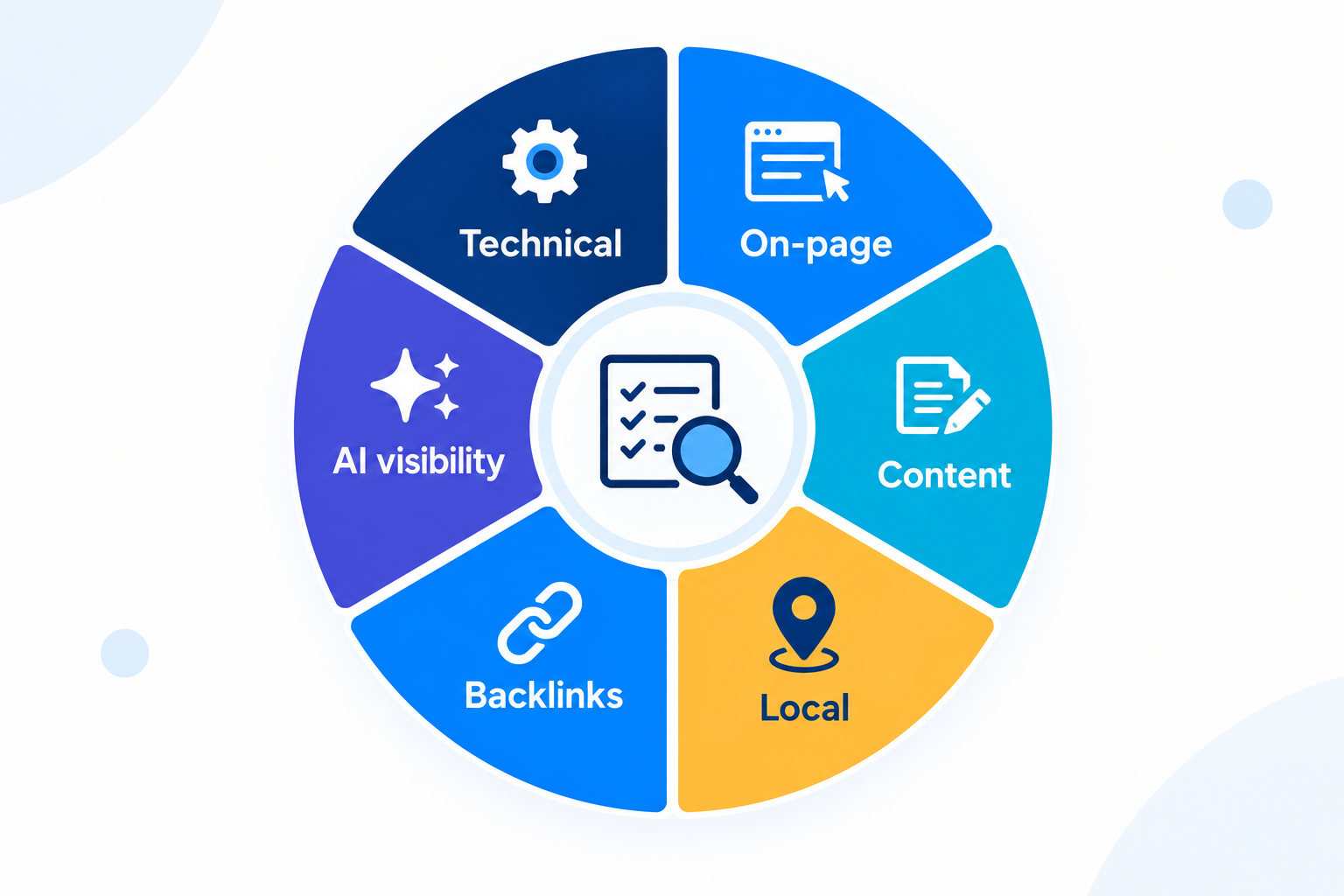
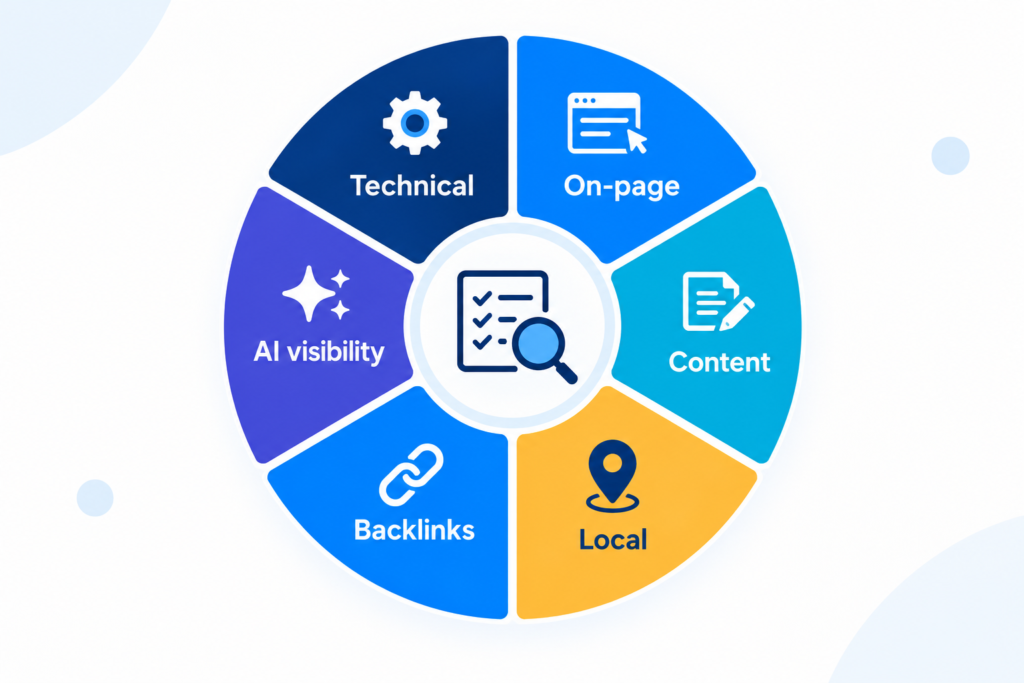
- A California local SEO audit reviews six areas: technical health, on-page signals, content, your Google Business Profile and listings, backlinks, and visibility in AI answers.
- This SEO audit checklist has 47 checks across six groups, each with free tools.
- Most tools come from Google and Bing, so you can start without paid software.
- Check indexing and your Business Profile first, because errors there cost you customers soonest.
- Score each check pass, partial or fail, then fix the fails that touch calls and bookings before anything else.
- As of October 2026, the newest layer in a local audit is AI visibility, covered in Group 6.
What is a California local SEO audit, and how do you use this checklist?
A California local SEO audit is a structured review of how well your website and business listings earn visibility in Google, Maps and AI answers from customers in your cities. Think of it as a building inspection before a renovation: it finds the cracked foundation before you pay for new paint.
Local SEO (the work of earning visibility in Maps and local results) rewards accuracy more than volume. This local SEO audit checklist follows that idea: specific checks, each with a clear pass or fail.
Work through one group per sitting. Mark each check pass, partial or fail in the free template, and add a one-line note on what you saw. We’d start with the Business Profile in Group 4 before touching the website, because a wrong phone number or category there costs customers this week.
We’ve delivered more than 2,400 audits to California businesses, and this is the version we’d hand to an owner who wants to check things alone first.
Group 1: Can Google crawl, index and load your site? (Checks 1 to 10)
Technical SEO decides whether Google can find, read and load your pages. A crawler works like a delivery driver: a wrong address, a locked gate or a blocked road means the parcel never arrives, however good it is. Google Search Console is where Google reports what it found, so start there.
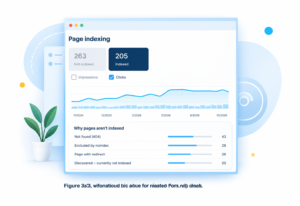
- 1. Indexed pages match your real pages. Compare the URLs in the Page indexing report with the pages you want found. A large gap in either direction needs an explanation.
- 2. No stray noindex tags. A noindex left over from the staging site is a “closed” sign left on the door after opening day. Inspect your service and location pages with the URL Inspection tool.
- 3. robots.txt blocks nothing important. Google says robots.txt manages crawler traffic and is not a way to hide pages. Confirm no service, location or blog folder is disallowed.
- 4. The XML sitemap is clean. List only live, canonical, indexable URLs, then submit the file in Google Search Console and Bing Webmaster Tools.
- 5. One HTTPS version of every URL. The http, https, www and non-www versions should all redirect to a single address, with no mixed-content warnings.
- 6. No redirect chains or loops. An old URL should reach its final page in one hop, not three.
- 7. Broken links are fixed. Repair internal links to dead pages, and send valuable dead URLs to the closest live match. Pages that say “not found” but load normally show up as soft 404s in the indexing report.
- 8. Canonical tags are correct. Each page should name itself as canonical unless it is a deliberate duplicate. The indexing report flags pages where Google chose a different canonical than you did.
- 9. Core Web Vitals pass on mobile. Google’s “good” marks, per web.dev, are LCP (loading) at 2.5 seconds or less, INP (responsiveness) at 200 milliseconds or less and CLS (layout shift) at 0.1 or less, measured at the 75th percentile.
- 10. The phone version matches desktop. Open key pages on a real phone and confirm the same headings, text, links and structured data appear. Trimmed mobile content can go unseen.
If a crawl returns hundreds of issues, technical SEO support can save weeks of sorting.
Free tools for Group 1:
- Google Search Console: indexing, sitemap and Core Web Vitals reports.
- PageSpeed Insights and Lighthouse: Core Web Vitals and mobile speed tests, one page at a time.
- Screaming Frog (free tier): crawls up to 500 URLs to find redirect chains, 404s and canonical problems.
- Bing Webmaster Tools: a second view of crawling and sitemaps.
Group 2: Do your pages say what you do and where you do it? (Checks 11 to 18)
On-page SEO is the set of signals on a page that say what it covers and who it serves. The title tag (the clickable headline in search results) works like the sign above a shop door. “Welcome” tells passers-by nothing, while “Family Dentist in Fresno” tells them everything.
- 11. Title tags name the service and the city. Make each one unique, with the service first and the city second, and short enough to avoid truncation.
- 12. Meta descriptions promise something specific. Write a unique one per page. Google may rewrite it, but a clear one still gives it better material to work with.
- 13. One H1 and a logical heading order. The H1 states the page’s main topic, and the H2s and H3s follow in order without skipping levels.
- 14. One page per service per city, with unique copy. Copies of one page with only the city name swapped read as thin content to customers and search engines alike.
- 15. Each location page shows NAP, a map and directions. NAP (name, address and phone number) must match your Google Business Profile exactly.
- 16. Key pages sit within three clicks of the homepage. An orphan page, one with no internal links pointing to it, is a room with no door. Link to it with descriptive anchor text.
- 17. Images are compressed, named and described. Use descriptive file names, alt text written for screen readers first, and modern formats such as WebP.
- 18. LocalBusiness structured data matches the visible page. Google’s LocalBusiness documentation, updated in September 2026, requires a name and address and recommends hours, phone and geo coordinates.
Don’t obsess over character counts. A clear title that matches the search beats a perfectly sized one that doesn’t.
Free tools for Group 2:
- Rich Results Test and Schema Markup Validator: check structured data for errors.
- Google Search Console Performance report: pages with many impressions but few clicks usually need better titles.
- Screaming Frog (free tier): exports titles, H1s, alt text and missing tags for up to 500 URLs.
Group 3: Does your content answer what California customers actually search? (Checks 19 to 25)
Content is where a page earns the right to rank, not just to be indexed. Match each important search to one page that fully answers it, city by city. E-E-A-T (Experience, Expertise, Authoritativeness, Trustworthiness) is Google’s shorthand for page quality.
- 19. One page per search intent. Two pages chasing the same query compete with each other, which is called cannibalization. Filter the Search Console Performance report by query and see whether several URLs appear.
- 20. Each page matches the intent behind its keyword. Search the target phrase and compare. If the top three results are service pages, a blog post won’t beat them.
- 21. Thin and duplicate pages are merged or removed. Combine near-identical pages and redirect the old URLs to the one that survives.
- 22. E-E-A-T signals are visible. Show named authors, license numbers where your trade requires them, real photos of your team and work, and sources for any statistic.
- 23. Key pages are current and dated. Review service pages at least yearly, and show a “last updated” date on guides.
- 24. Content gaps against your top three local rivals are mapped. List the services, cities and questions they cover that you don’t.
- 25. Every page has a clear next step. Put a click-to-call button or short form above the fold on mobile. Traffic that never calls is a vanity metric.
Check 25 isn’t strictly SEO, but we keep it because rankings that never ring the phone don’t pay the bills. If writing a dozen city pages isn’t realistic in-house, content marketing support is the usual shortcut.
Free tools for Group 3:
- Google Search Console Performance report: queries, pages, clicks and impressions, plus a quick view of cannibalization.
- Google Analytics 4: which pages lead to calls, form fills and other conversions.
- Google autocomplete and People Also Ask: free ideas for the questions customers type.
- Google Trends: seasonal swings in demand by region.
Group 4: Is your Google Business Profile working as hard as your website? (Checks 26 to 35)
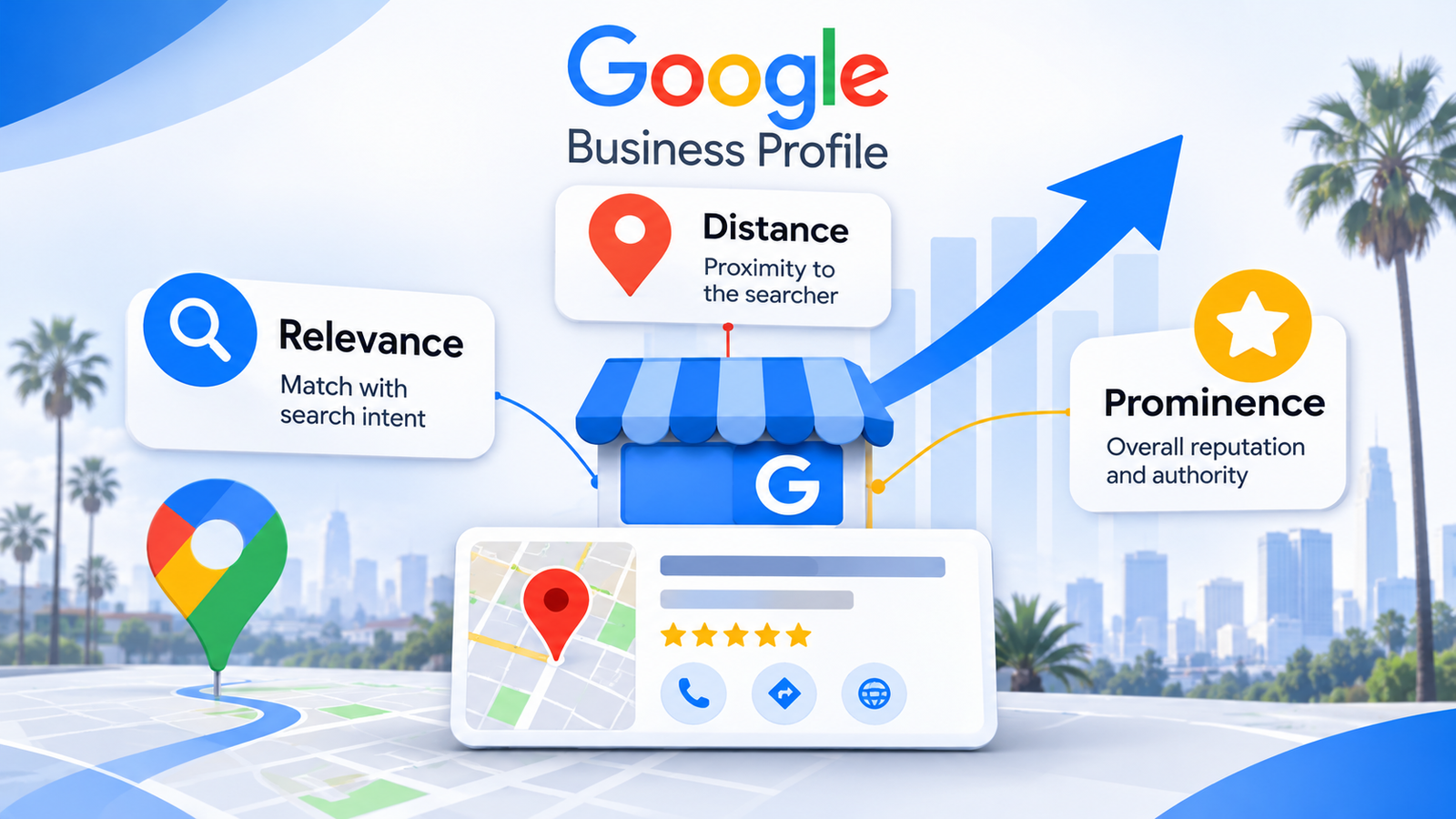
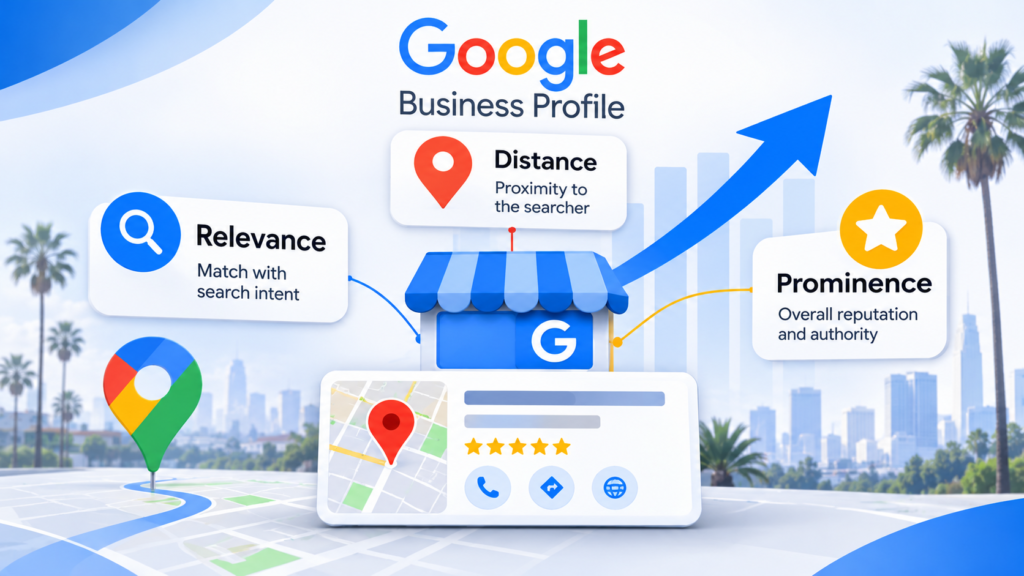
Google says local results depend on three factors: relevance, distance and prominence. You can’t change distance, so a Google Business Profile audit focuses on relevance (complete, accurate details) and prominence (links, reviews and ratings).
- 26. The profile is claimed and verified. Google lists verification among its core local ranking tips. Search your business name in Google Maps and confirm you control the listing it shows.
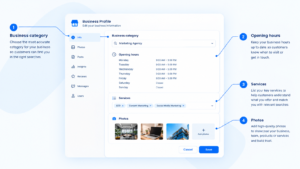
- 27. The primary category is the most specific one available. Google asks for the fewest categories that describe your core business, as specific as possible. Never use categories as keywords.
- 28. The name matches your real-world business name. Under Google’s representation guidelines, leave out taglines, keywords, hours, phone numbers and service descriptions. Unnecessary extras in a name can lead to a suspended profile.
- 29. The address and service area follow the rules. Use a real address (no P.O. boxes or virtual offices), keep one profile per location, and hide the address if you have no storefront. Google generally expects service areas within about two hours’ drive.
- 30. Hours are right, including holidays. Add special hours for holidays and events, and update them before the date, not after.
- 31. The description, services and attributes are complete. Fill every field that applies, because relevance rises when Google can match your profile to the search.
- 32. Photos and videos are recent and real. Show your team, your work and your premises, and replace stale images.
- 33. Reviews are benchmarked against the top three map results. Compare total count, average rating and how recently the latest reviews arrived.
- 34. Every review gets a reply. Google advises replying to reviews. Keep replies specific and polite, including for negative ones.
- 35. NAP matches everywhere, including Bing and Apple. Compare your name, address and phone number across your site, Bing Places for Business, Apple Business Connect and major directories. Picture one contact card saved three times with three different numbers: eventually nobody gets through.
If you only have one hour this week, spend it on checks 26 to 30. For a hands-on fix, see our Google Business Profile optimization service.
Free tools for Group 4:
- Google Business Profile dashboard: edit fields, hours, photos and replies in one place.
- Google Maps in a private window: search your main service plus your city from several neighborhoods, because results shift with the searcher’s location.
- Bing Places for Business: free, and Bing’s October 2025 update describes a faster import from Google.
- Apple Business Connect: free, and controls the place card people see in Apple Maps and Siri.
Group 5: Are the right sites linking to you, and are any links hurting you? (Checks 36 to 41)
A backlink is a link from another website to yours. Treat links like references on a resume: one from a respected local employer outweighs ten from strangers. Google names links as part of prominence, so this group feeds the map results too.
- 36. Referring sites are growing and relevant. Open the Links report in Google Search Console and check the top linking sites. Note whether the trend climbs or flatlines.
- 37. No manual actions. Open the Manual actions report. Google says buying links or joining link schemes can bring a manual action against part or all of your site.
- 38. Spammy link patterns are cleared. Look for bulk links from irrelevant or paid sources. Ask the site owners to remove them first, and use the disavow tool only for links you couldn’t get removed.
- 39. Anchor text looks natural. Most anchors should be your brand name or plain URL. A pile of exact-match keyword anchors is a pattern worth investigating.
- 40. Local links exist. Look for your chamber of commerce, local press, suppliers, sponsorships and professional associations. A local link says more about a local business than a generic directory does.
- 41. Dead pages with links and unlinked mentions are recovered. Redirect 404 pages that still attract links, and ask sites that mention your brand without a link to add one.
Free tools for Group 5:
- Google Search Console Links report: top linking sites, top linked pages and anchor text.
- Manual actions report: confirms whether Google has applied a penalty.
- Google Alerts: free emails when your brand name appears online, which surfaces unlinked mentions.
Group 6: Do AI answers mention your business? (Checks 42 to 47)
A Pew Research Center study published in July 2025 found that Google users clicked a result link in 8% of visits with an AI summary, against 15% without one.
Being named in the answer matters more when fewer people click through. Think of the checks below as sending a mystery shopper: ask the questions your customers ask, then record what comes back.
- 42. Pages qualify for Google’s AI features. Per Google’s AI features guidance, updated in December 2025, a page must be indexed and eligible to show with a snippet to appear in AI Overviews and AI Mode. No special markup or AI text file is required.
- 43. AI crawler rules in robots.txt are deliberate. OpenAI lists separate crawlers: OAI-SearchBot for search, GPTBot for training and ChatGPT-User for user-initiated visits. Each setting is independent, so decide each one on purpose.
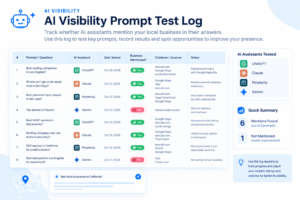
- 44. A prompt test is logged monthly. Ask ChatGPT, Claude, Gemini, Perplexity and Google AI Mode ten real customer questions, such as “best emergency plumber in Sacramento,” and log whether you’re named, cited or absent.
- 45. Pages answer first. Under each question heading, open with a direct, plain answer so a system can lift it intact.
- 46. Business facts match everywhere. Keep your name, services, hours and description identical across your site, Google Business Profile, Bing Places, Apple Business Connect and social profiles. Add Organization or LocalBusiness structured data with sameAs links to those profiles.
- 47. You track the AI traffic you can see. Google says AI Overviews and AI Mode traffic is counted in the Search Console Web performance report, not shown separately. For other assistants, watch referral sources in Google Analytics 4.
No one can promise a mention in an AI answer, and results vary by prompt and by day. Treat the log as a trend, not a score. To see how we approach this work, read about AI search visibility for California businesses.
Free tools for Group 6:
- ChatGPT, Claude, Gemini and Perplexity: free tiers cover manual prompt tests.
- Google Search Console: AI Overviews and AI Mode clicks sit inside the Web search type.
- Google Analytics 4: referrals from AI assistants appear in traffic sources.
- Rich Results Test and Schema Markup Validator: confirm your Organization or LocalBusiness markup parses.
Does a Los Angeles SEO audit look different from one in San Francisco?
People type “Los Angeles SEO audit” or “SEO audit San Francisco” into Google when they want a clear read on their site. The 47 checks stay the same in both cities, but the weighting shifts with the market.
- Los Angeles: Distance is the swing factor. Results shift with the searcher’s location, so test your main service from several neighborhoods and confirm each profile and location page covers the area it claims. Our Los Angeles SEO page covers this market in more detail.
- San Francisco: In a compact, dense city, rivals sit within blocks of each other. Small gaps in review count, category choice and photos can decide who appears, so benchmark checks 27, 32 and 33 closely. Our San Francisco SEO page covers this market.
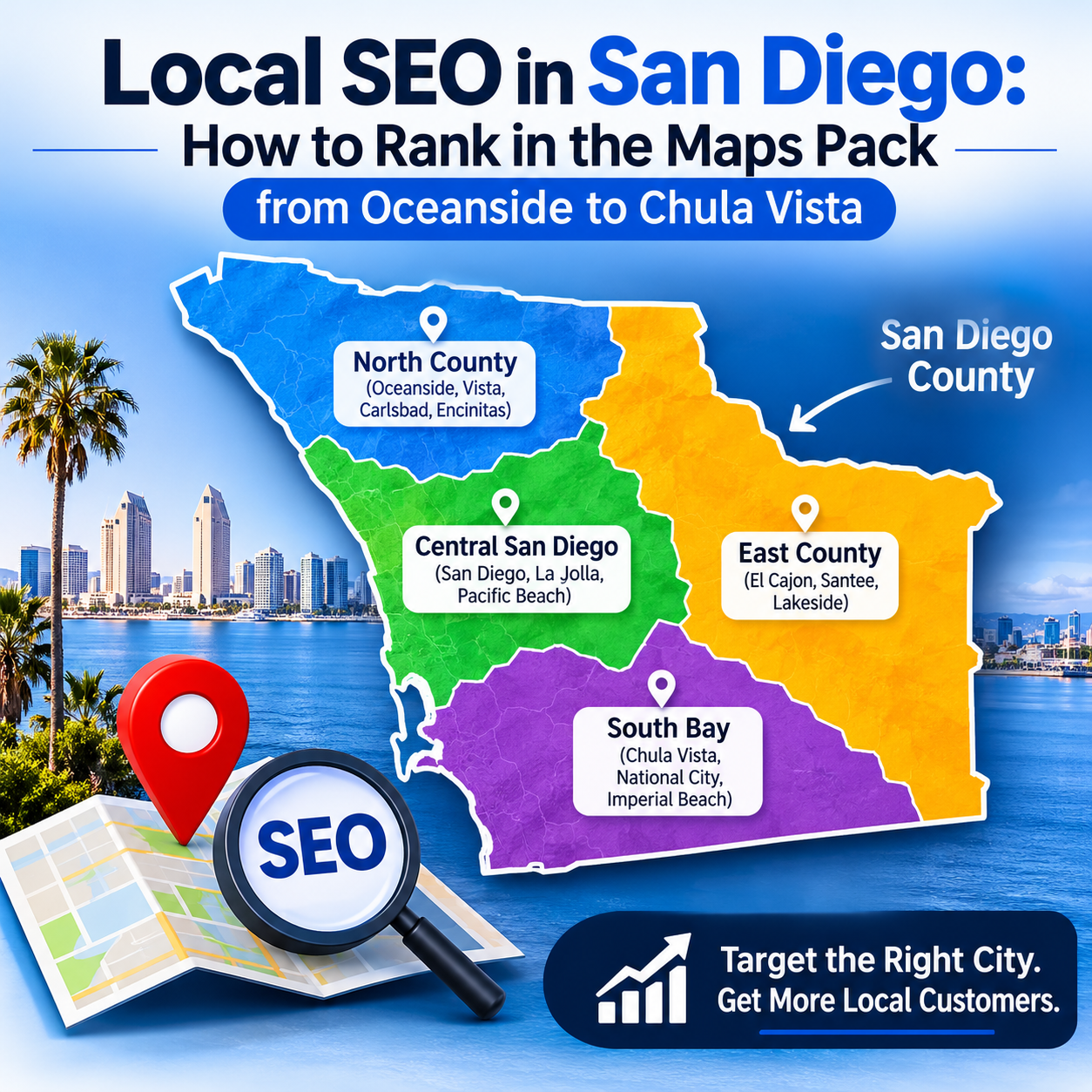
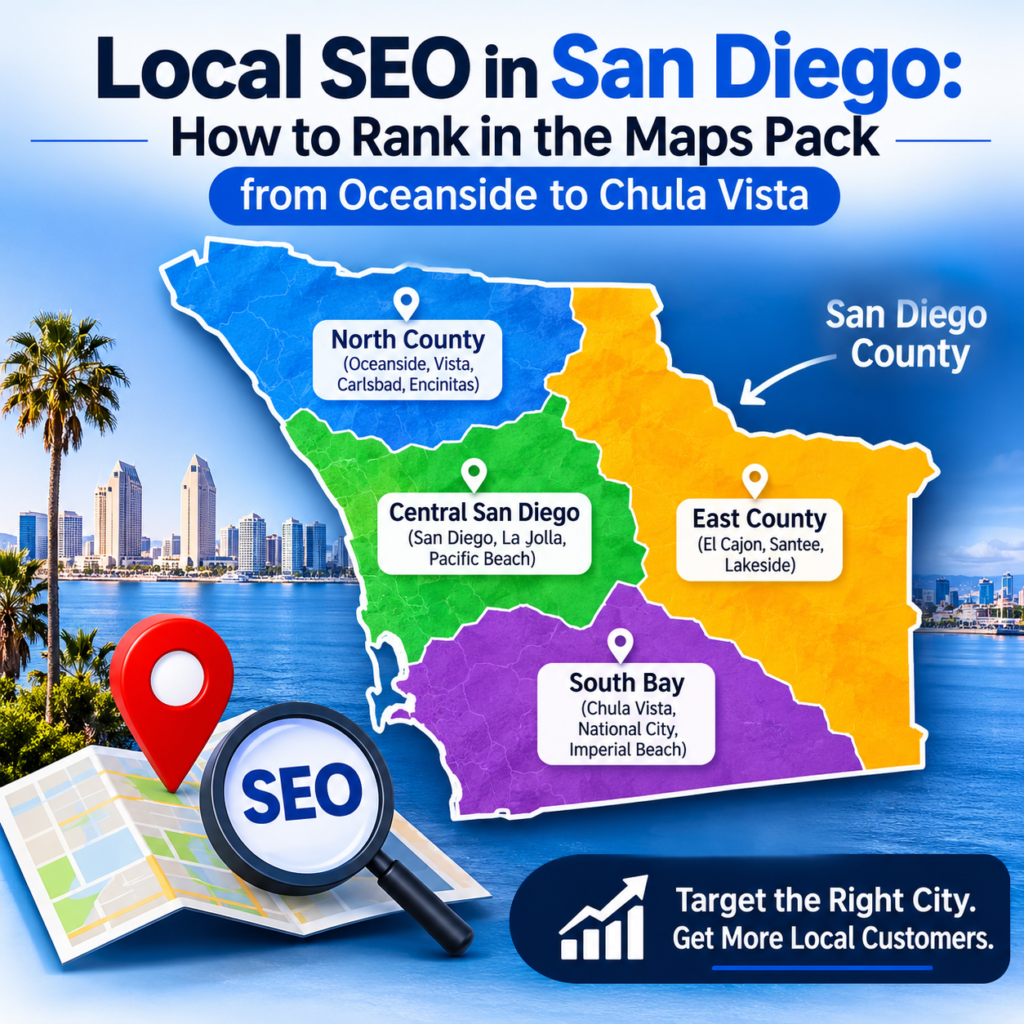
- Everywhere else in California: Build one page and one profile per real location, and check service areas against Google’s two-hour rule of thumb in check 29. We also have pages for 13 other California cities, from San Diego to Sacramento.
If your customers speak more than one language, check that your pages and profile reflect the languages you actually serve. For more on the local angle, read why local knowledge matters in California.
How do you score the 47 checks and decide what to fix first?
Give each check 1 point for a pass, half a point for a partial and 0 for a fail. Then fix in the order below, because blockers come before polish.
| Priority | Fix first | Why it comes here |
| 1 | Indexing, noindex tags and robots.txt (checks 1 to 3) | If Google can’t see a page, nothing else on it matters |
| 2 | Business Profile name, category, address, hours and NAP (checks 26 to 30 and 35) | Wrong details send customers to the wrong place or phone |
| 3 | Reviews and replies (checks 33 and 34) | Ratings and review counts shape both prominence and trust |
| 4 | Core Web Vitals, titles and location pages (checks 9, 11, 14 and 15) | These lift pages that are already indexed |
| 5 | Backlinks and AI visibility (Groups 5 and 6) | Slower to move, so start them after the quick wins |
A score is a conversation starter, not a grade. A 40 out of 47 with a noindex tag on your top service page is worse than a 30 with none.
We’d rerun the full checklist every quarter, and the Group 1 and Group 4 checks monthly. Run it again right after a redesign, a migration or a sudden traffic drop.
When do professional SEO audit services make sense instead of a DIY audit?
A DIY audit finds problems. Professional SEO audit services rank them, explain the ones the tools can’t, and turn the list into a plan.
DIY works well with one location, a small site and someone who has an hour a week. It’s a poor fit in these situations:
- You run several locations, so profile and location-page problems multiply.
- Calls or traffic dropped and the checklist doesn’t show why.
- Your site is bigger than a free crawl handles, since the free Screaming Frog tier stops at 500 URLs.
- You can’t tell which fails matter most for your trade and city.
- You’d rather spend the hours on customers than on spreadsheets.
This checklist can’t explain why one competitor beats you on one street. That takes grid-based rank tracking and someone who can read it.
If you’d rather hand it off, our SEO audit services include a free 47-point audit, delivered within 12 hours.
Comparing providers? Read the 12 questions to ask before you sign and what SEO costs in California first.
Frequently asked questions about a California local SEO audit
What is the difference between a local SEO audit and a general SEO audit?
A general audit looks at a site’s organic performance everywhere. A local audit keeps those checks and adds the Business Profile, listing consistency, reviews, location pages and rivals in your specific cities. That’s why this checklist gives a full group to the Business Profile and its listings.
How long does a local SEO audit take?
For a small site with one location, plan on one sitting per group using the free tools, so roughly six sittings in total. Larger or multi-location sites take longer because each location needs its own profile, page and review check. Our own free 47-point audit is delivered within 12 hours.
What tools do you need for a local SEO audit?
Five free tools cover most of it: Google Search Console, PageSpeed Insights, the Google Business Profile dashboard, Bing Places for Business and the Rich Results Test. Add the free tier of Screaming Frog for up to 500 URLs and Google Analytics 4 for conversions. Paid software mostly saves time on large sites rather than unlocking new checks.
Which listings should a California business claim besides Google?
Start with Bing Places for Business and Apple Business Connect. Both are free. Bing Places can import your Google listing, and Apple Business Connect controls the place card shown in Apple Maps and Siri. Then claim the main directories for your trade, and keep the name, address and phone number identical everywhere.
Do reviews affect local search rankings?
Yes. Google lists reviews and ratings as part of prominence, one of its three local ranking factors, and says more reviews and positive ratings can improve it. Google also says there’s no way to request or pay for a better local ranking. Reply to reviews, keep earning new ones steadily, and compare your count and rating with the top three map results.
Should a business block AI crawlers in robots.txt?
It depends on your goal, and each crawler is a separate decision. OpenAI says blocking OAI-SearchBot keeps a site out of ChatGPT search answers, while GPTBot relates to model training. Google says its AI features need only an indexed, snippet-eligible page. If you want to be named in answers, don’t block the search crawlers by accident.